A single image tells you very little about how a generator actually works. Almost any decent AI anime generator can deliver a fluke success when the prompt and random seed line up. The real test comes when something goes wrong, and you need to fix it without starting from scratch.
That is why testing a generator requires an actual mini-project rather than random prompts. Use the same character. Test different poses and environments. Work with a reference image, make targeted edits, and deliberately push the generator until it breaks.
That will tell you more about the actual workflow than scrolling through a gallery of perfect examples.
In this guide, we'll look at exactly what you need to test before you hand over your credit card. We’ll use PixAI as a reference to cover character consistency, prompt control, reference images, editing tools, and how well the system handles failure.
Start with One Character You Actually Care About
The easiest way to test an AI anime generator is to stop using random prompts. Pick a character you already know well. It could be an original character you have been developing for a while or a character from a manga project. The more familiar you are with the details, the easier it is to spot when the generator gets something wrong.
If you don’t have a ready-made character, you can quickly create one with PixAI’s image generator. Start with a straightforward portrait and add a few defining features, like long silver hair, green eyes, a black jacket, a small scar beneath the left eye, and a red hair clip. Since you just want to establish the baseline and see what the generator does with those details, avoid making the prompt complicated.
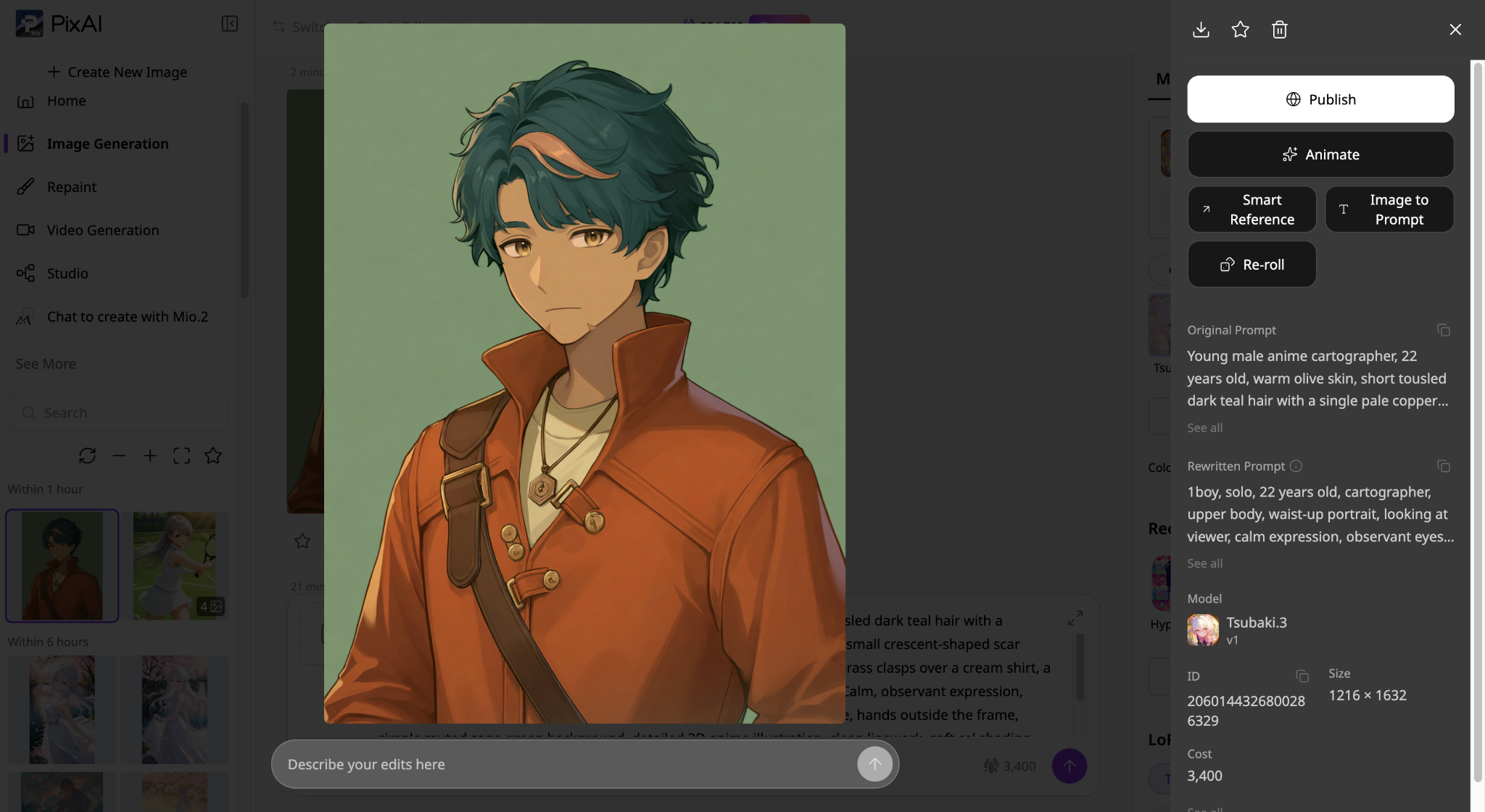
Once you have a character, you can now start changing things. Put the character somewhere else, change the expression, and try a full-body shot. You can also change the camera angle or give them a different outfit to see how the AI anime generator handles this.
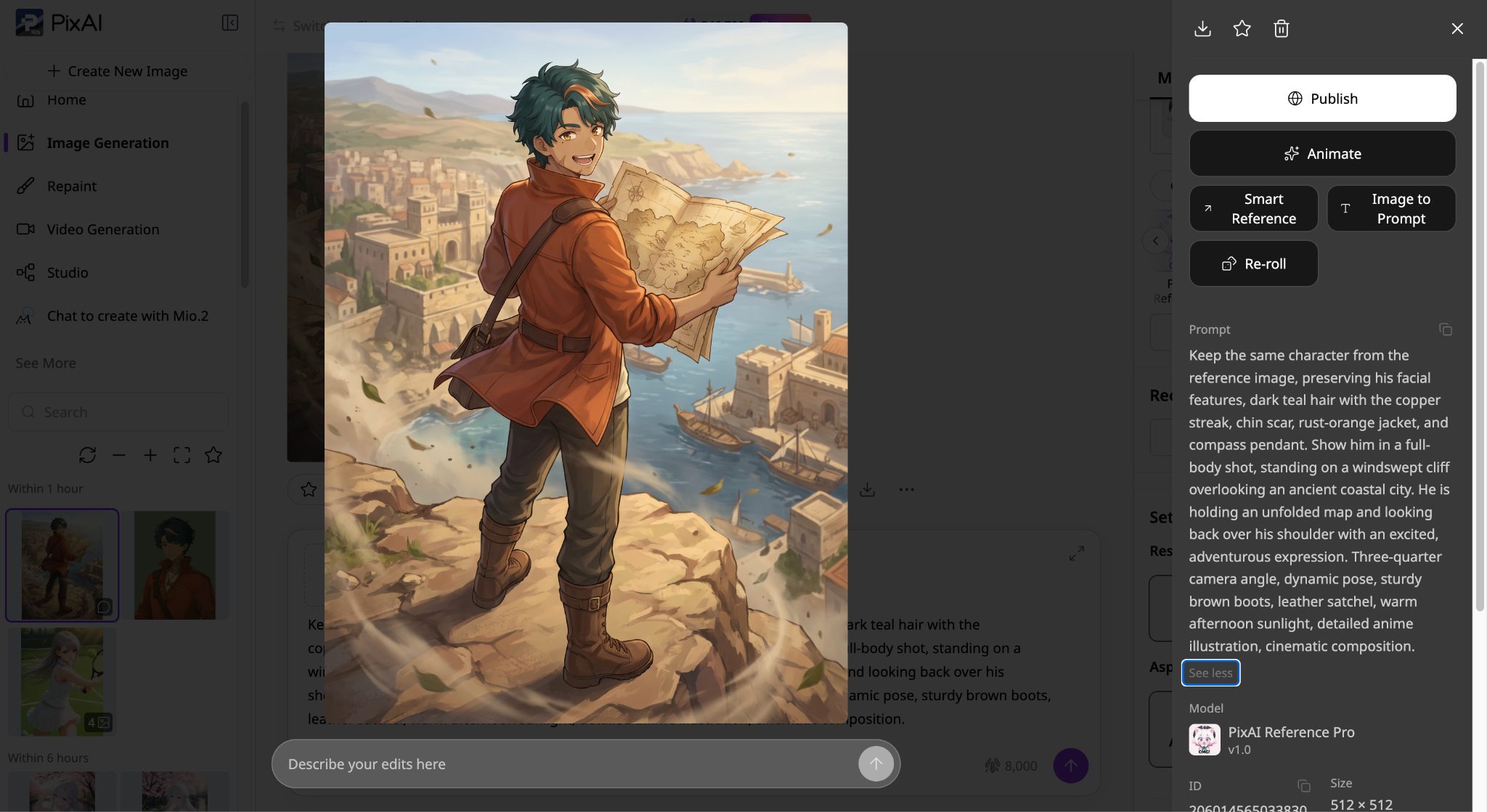
The images should change from scene to scene, but the character should still feel unmistakably like the same person.
See What Happens When the Prompt Gets Specific
Most generators can handle a straightforward character portrait. The next test is to see how well they follow instructions when you introduce a more detailed scene.
Let's take Ren, our cartographer, and give him a slightly more complicated task. This time, he's inside an old mapmaker's workshop, examining a mysterious chart. We want him seated at a wooden desk, holding a brass magnifying glass in his right hand while his left hand keeps an unfolded map flat. A small blue lantern sits on the left side of the desk, and a black cat watches him from the windowsill. Outside, heavy rain falls over the rooftops of the coastal city.
Generate the scene from a slightly elevated three-quarter angle, with warm lantern light illuminating Ren's face and the rest of the workshop in shadow.
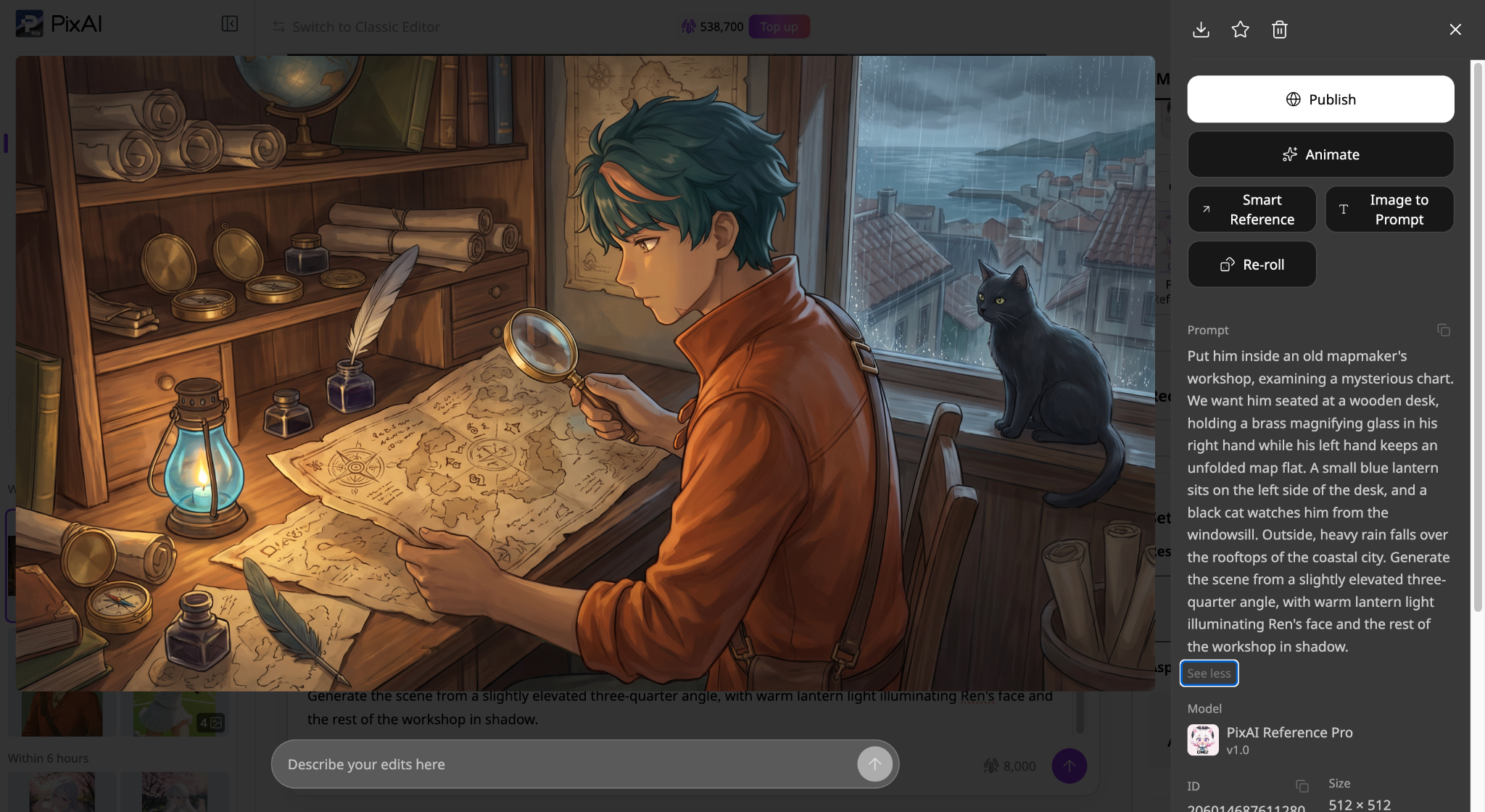
Now examine the result. Is the magnifying glass in the correct hand? Did the generator place the lantern on the left? Is Ren actually holding down the map, or are his hands doing something entirely different? Check whether the cat, rainy window, and requested camera angle made it into the final image.
These details reveal how well the generator understands relationships between objects, characters, and their surroundings. You can make the next attempt even more demanding by adding a second character with a separate action or specifying exactly where several objects should appear.
Pay attention to which instructions the generator follows reliably and which ones disappear as the prompt becomes more complex.
Test Character Consistency Before Anything Else
If you plan to create an original character repeatedly, this might be the most important test you can run. Generate the same character in several situations. Try a portrait first, then a full-body image. Put them indoors, then outdoors. Change the expression, change the pose, and give them another outfit.
From there, compare the images side by side. Does the face remain recognizable? Do the defining features stay where they are supposed to be? Does the hairstyle remain reasonably consistent? Or does the generator quietly turn your character into a different person every few generations?
This is where features like reference images and character LoRAs become particularly useful. Instead of relying entirely on a text prompt to recreate the character, you can give the generator more structural information about the design you want it to preserve.
If you are building an original character that will appear in dozens of different scenes, that difference becomes huge. A generator that makes one amazing portrait but struggles with the next ten images may not be useful for a long-term character project.
Try Editing a Good Image Instead of Starting Over
Here is another test that reveals how practical the workflow really is. Generate an image you genuinely like and make sure the character, composition, and lighting are already working well.
Now deliberately find something you want to change. Maybe the character is wearing the wrong shoes, or there is an extra object in the background. Maybe you want a different expression, or you like everything except the jacket. Try to fix that one single thing.
This is where some AI anime generators start to separate themselves from the pack. If the only solution is to regenerate the entire image, you are rolling the dice again. You could fix the jacket and lose the face. You could get the right expression and suddenly end up with a completely different background.
A useful editing workflow gives you another option, like PixAI’s inpainting. It lets you keep what works and change what does not. Try different types of edits during your test. Change a small object first, then try a larger change like the outfit or the background, and watch how well the original character survives the edit.
For example, let’s replace the blue lantern in our previous image with something more realistic. PixAI’s editing tool lets you paint over the lantern and add a prompt that regenerates only that part of the image.
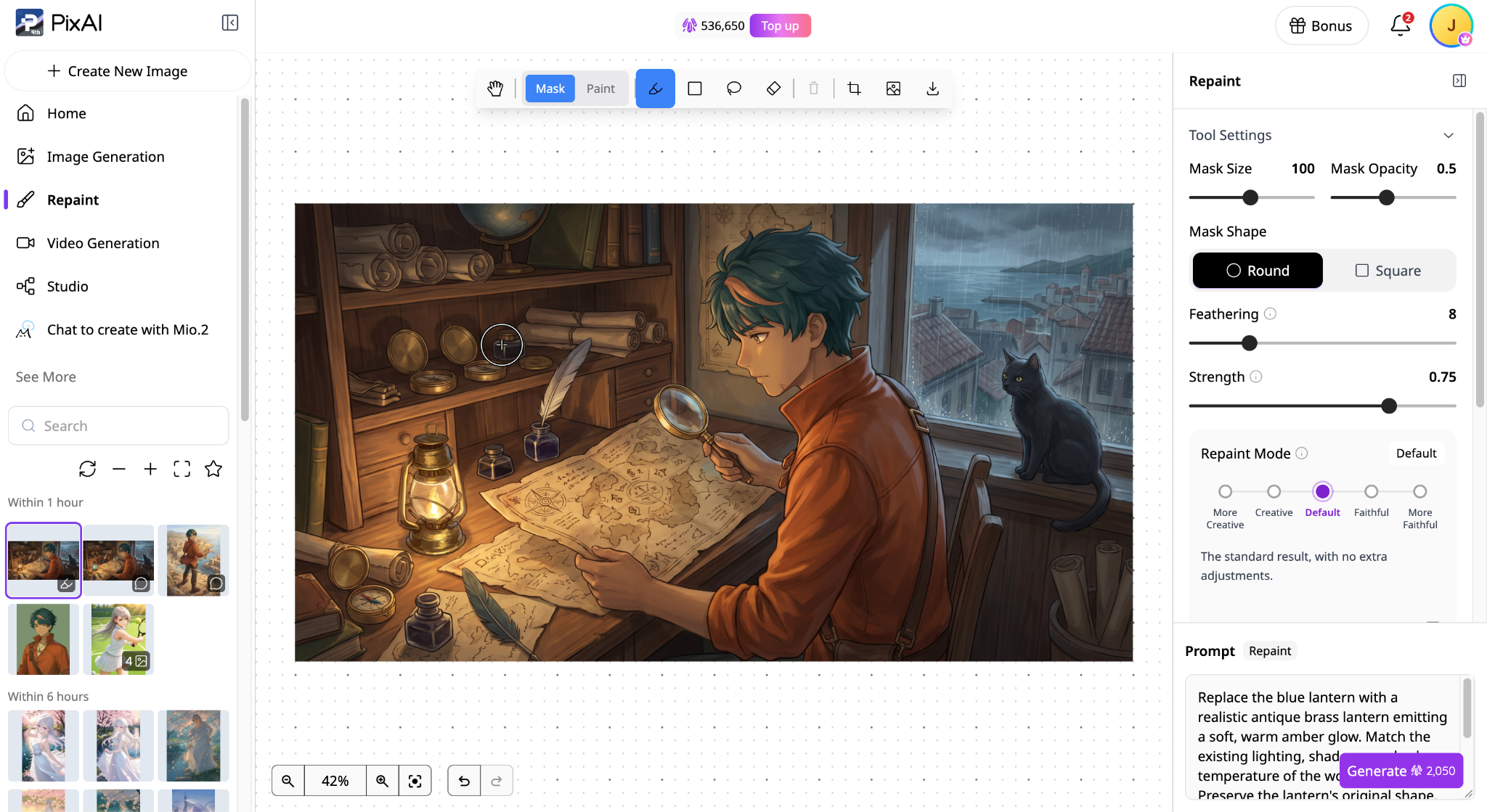
Notice that nothing else in the image changes.
Use Your Own Reference Image
If the generator supports reference images, maximize it. Take an illustration you have already created and see what the platform can actually do with it.
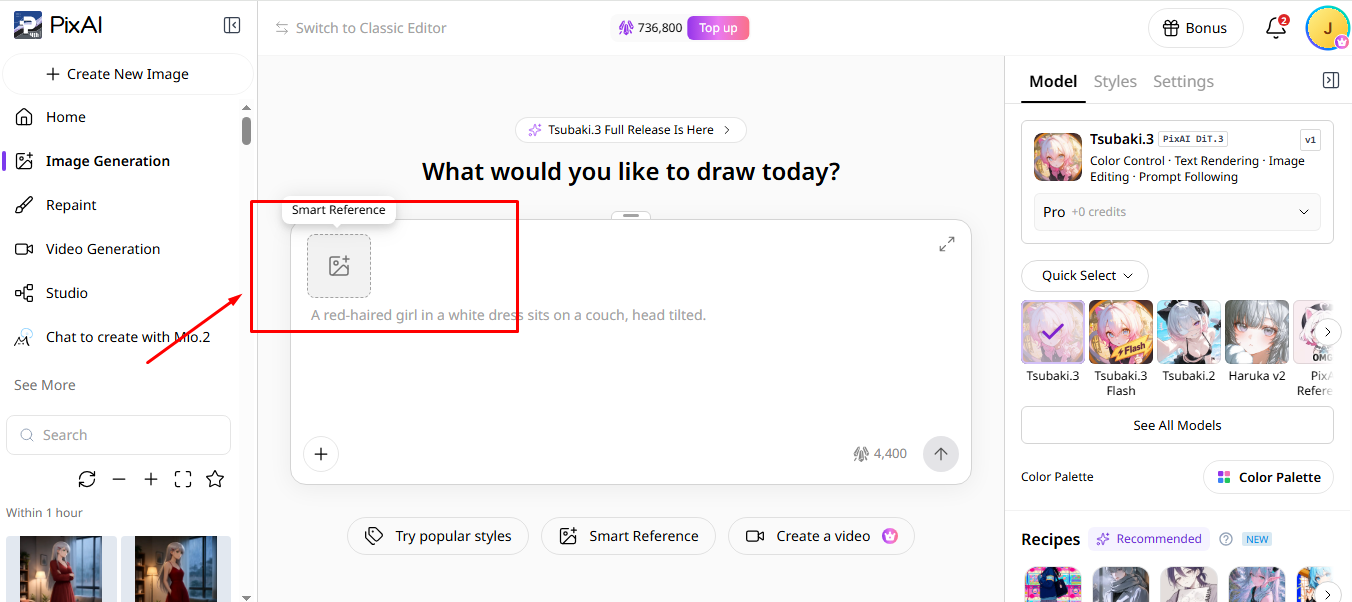
Ask for a new pose while keeping the character recognizable. Try moving the character into a different environment, change the camera angle, or try a different outfit. This is especially useful when you move an existing original character into an AI workflow because you already know exactly what the reference character should look like.
PixAI offers a dedicated reference image model, the Reference Pro, and most of its other top models, including the newer Tsubaki.3, also support image referencing.
Push the Generator Until Something Goes Wrong
This sounds counterproductive, but it is one of the best ways to evaluate a tool. Do not spend your entire trial period making easy images. Eventually, something will go wrong anyway.
So make the generator work a little harder. Try a complicated pose, add two characters, or use an unusual camera angle. Give the character a specific prop and ask for a busy environment. At some point, you will probably get a weird hand, a broken accessory, a strange face, or a background that looks like three different artists assembled it.
That’s perfectly fine. The real test is how easily you can recover. Can you adjust the prompt and try again? Can you edit the problem area without ruining the rest of the image? Can you use a reference image, change models, or save the successful version and build directly from it?
This tells you something that a perfect showcase image never will. You need to see how the generator behaves when it fails. That matters because failed generations aren't an exception in AI art. They are a regular part of the workflow.
See How Easy It Is to Compare Different Approaches
You might find a model that looks fantastic for one particular style and terrible for another. That is why model variety is so useful, especially if you are still figuring out your exact visual direction.
Try the same character and prompt across different models or styles. Look beyond which image looks better at first glance and pay more attention to what each model handles well and where it starts struggling.
One model might handle character faces beautifully, another might be much better with detailed backgrounds, and a third might produce the exact style you want for manga panels.
If the platform lets you compare generations or keep useful settings, that’s even more helpful. You do not want to lose a great result and then spend half an hour trying to remember how you made it in the first place.
Check Whether the Generator Fits the Rest of Your Workflow
Before choosing an AI anime generator, think about what you'll do with your images once they're finished. For example, you might want to turn an OC into a character reference sheet, create more scenes featuring him, or animate one of your illustrations.
Try completing two or three of those tasks using the same platform. In PixAI, you could generate a portrait, use Smart Reference to place the OC in another setting, and use inpainting to correct a detail in the new image. You could also explore its video generation tools if animation is part of your project.
Pay attention to how easily you can reuse your existing artwork. Can you select an earlier image as a reference? Can you edit a successful generation without losing the original?
A generator might produce excellent illustrations but still make it difficult to develop them into a larger project. Testing a few connected tasks will show you how comfortably it fits into the kind of anime art you actually want to create.
See How Much Control You Have Over Your Character
At some point, prompt writing stops being enough. Maybe you want the same character wearing five different outfits, or you need a specific facial design to survive complex poses. You might even have a unique anime style that you want to maintain across an entire multi-image project.
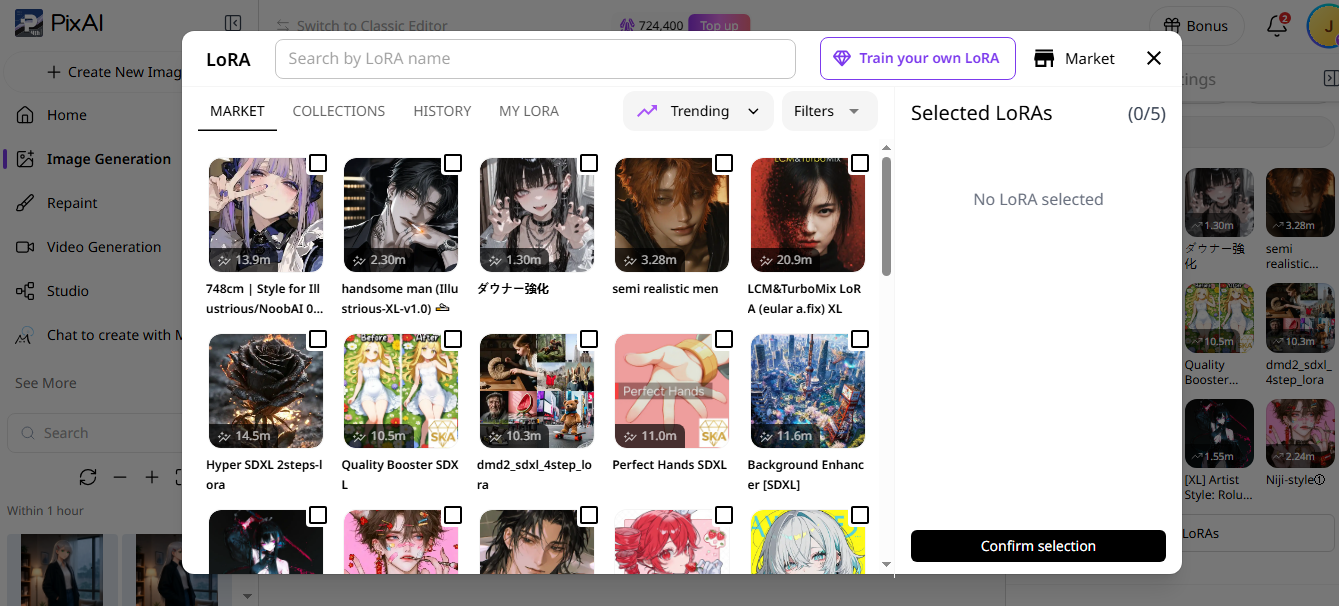
This is where customization options start to matter. Look for platforms that offer community LoRAs, model selection, reference images, pose controls, or presets. You want tools that give the generator structural information rather than relying purely on text.
Don’t Forget the Boring Stuff
Creative features are the fun part, but you'll eventually notice the practical details. How fast does the platform actually generate? How many generations and credits do you normally need before you get something usable? And what happens when you start using more demanding features like upscaling or video generation?
You don't need to calculate every generation down to the last credit before trying a platform. Just pay attention to your own habits.
Give Every Generator the Same Mini-Project
If you are comparing several different AI anime generators, this is the fairest test you can run. Create one small project and use it across every single platform.
You can easily see which generator handles your character well, which one actually follows your prompts, which one gives you useful editing options, and which one becomes frustrating after the first few generations.
You are also much less likely to get distracted by a flashy demo image on a landing page because every platform is being asked to do the same job.
Pay Attention to How Much Fighting the Tool Requires
Some workflows feel like you are steering the AI, while others feel like you are constantly trying to correct its mistakes.
You ask for one specific thing, and it changes three others. You fix the face, and the outfit changes. You fix the pose, and the background breaks. You finally get the character right, only to realize you cannot make a small edit without regenerating everything from scratch.
A few failed generations are not a problem, but you shouldn’t be constantly fighting the same limitations.
Make the Decision After You Have Actually Used It
Before committing to an AI anime generator, give it a proper trial. Create a character, place them in different scenes, experiment with references, and see how easily you can fix mistakes. Pay attention to the time and credits you spend getting results you're happy with.
You can use PixAI to run these tests, from your first character portrait to targeted edits and more complex scenes. Try the features that matter to your projects and see how well they work together.
By the end, you should have a clearer idea of what the generator does well, where it struggles, and whether you can comfortably use it for a longer project.